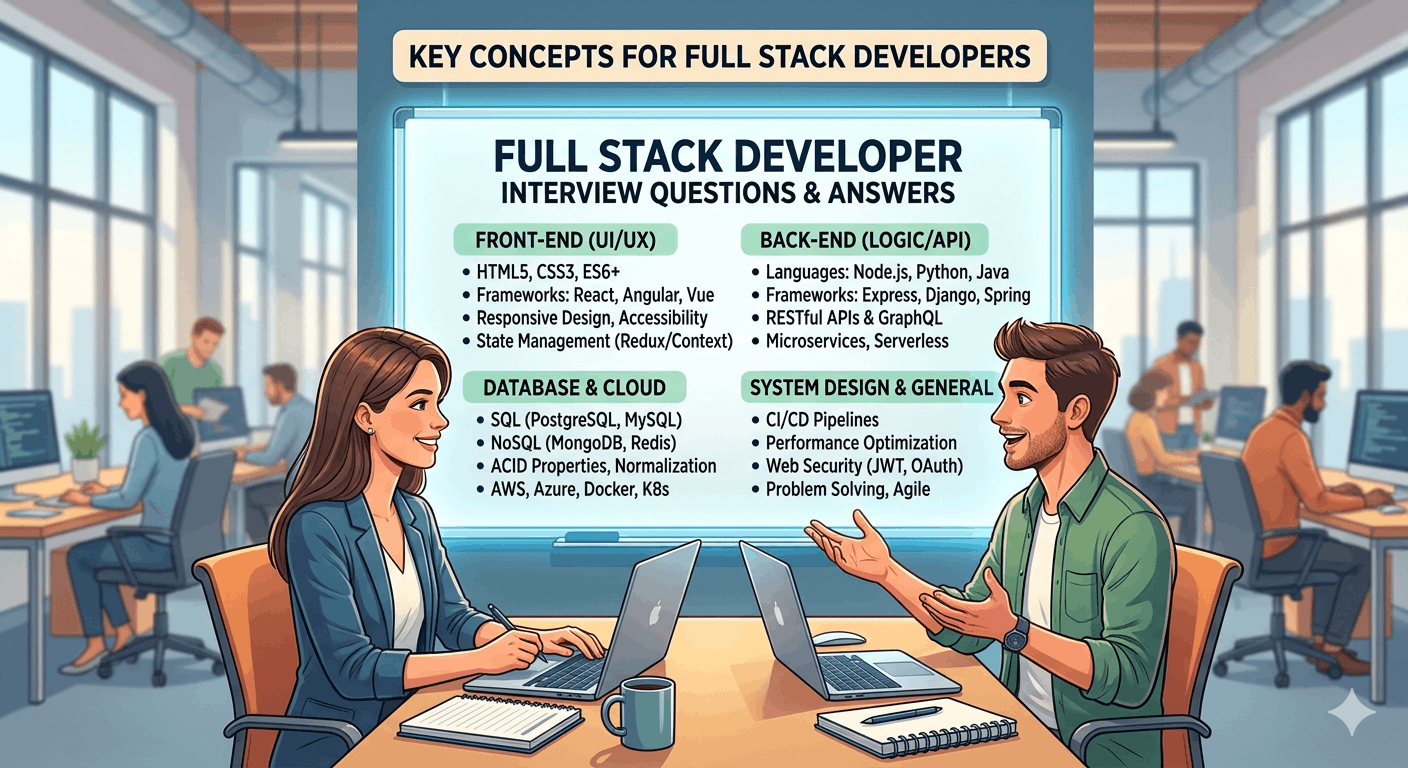
Full stack developer interview questions and answers cover JavaScript fundamentals, React component architecture, Node.js backend concepts, database design, API development, system design scenarios, and coding challenges that companies actually ask. At Scholar’s Edge Academy, our interview preparation program equips career switchers with proven answers, real-world project examples, and hands-on practice for technical rounds that land high-paying full stack positions. This comprehensive guide delivers the exact questions hiring managers ask, detailed answer frameworks, and preparation strategies that transform nervous candidates into confident developers ready to ace any interview. JavaScript and Frontend Interview Questions Core JavaScript Concepts Question 1: Explain the difference between var, let, and const Direct Answer: var has function scope and gets hoisted, let has block scope without hoisting to the top, and const also has block scope but creates immutable bindings that cannot be reassigned. Detailed Explanation: javascript // var – function scoped function varExample() { if (true) { var x = 10; } console.log(x); // 10 – accessible outside block } // let – block scoped function letExample() { if (true) { let y = 10; } console.log(y); // ReferenceError } // const – block scoped, immutable binding const user = { name: ‘John’ }; user.name = ‘Jane’; // Allowed – object mutation user = {}; // Error – cannot reassign Scholar’s Edge Academy teaches these fundamentals through practical coding exercises where you debug scoping issues in real applications. Question 2: What is closure and provide a practical use case? Direct Answer: A closure is a function that remembers variables from its outer scope even after that scope has finished executing. Closures enable data privacy, factory functions, and callback patterns. Practical Example: javascript function createCounter() { let count = 0; // Private variable return { increment: function() { count++; return count; }, decrement: function() { count–; return count; }, getCount: function() { return count; } }; } const counter = createCounter(); console.log(counter.increment()); // 1 console.log(counter.increment()); // 2 console.log(counter.getCount()); // 2 This pattern appears frequently in Scholar’s Edge Academy projects for managing application state and creating module patterns. Question 3: Explain event delegation and its benefits Direct Answer: Event delegation attaches a single event listener to a parent element instead of multiple listeners on child elements, improving performance and handling dynamically added elements automatically. Implementation: javascript // Without delegation – multiple listeners document.querySelectorAll(‘.button’).forEach(button => { button.addEventListener(‘click’, handleClick); }); // With delegation – single listener document.querySelector(‘.container’).addEventListener(‘click’, (e) => { if (e.target.matches(‘.button’)) { handleClick(e); } }); Benefits: Reduces memory consumption Works with dynamically added elements Simplifies event handler management Improves application performance React Interview Questions Question 4: What are React hooks and why were they introduced? Direct Answer: React hooks are functions that let you use state and lifecycle features in functional components without writing classes. They solve problems with class component complexity, code reuse difficulties, and confusing this keyword behavior. Common Hooks Table: Hook Purpose Use Case useState Manage component state Form inputs, toggles, counters useEffect Side effects and lifecycle API calls, subscriptions, DOM updates useContext Access context values Theme, authentication, global state useReducer Complex state logic Form validation, shopping carts useMemo Memoize expensive calculations Large data filtering, sorting useCallback Memoize functions Prevent child re-renders Scholar’s Edge Academy curriculum emphasizes hooks from day one because modern React development relies exclusively on functional components. Question 5: Explain the Virtual DOM and reconciliation process Direct Answer: The Virtual DOM is a lightweight JavaScript representation of the actual DOM. React compares the new Virtual DOM with the previous version, calculates minimal changes needed, and updates only those specific parts in the real DOM for optimal performance. Reconciliation Process: Component state or props change React creates new Virtual DOM tree Diffing algorithm compares old and new trees React identifies minimum changes required Batch updates applied to real DOM Performance Implications: Reduces expensive DOM operations Enables efficient batch updates Allows declarative programming model Improves application responsiveness Question 6: How do you optimize React application performance? Direct Answer: Optimize React apps through code splitting, memoization, lazy loading, proper key usage, debouncing expensive operations, and using production builds. Optimization Techniques: javascript // Code splitting with lazy loading const Dashboard = React.lazy(() => import(‘./Dashboard’)); // Memoization to prevent re-renders const MemoizedComponent = React.memo(({ data }) => { return <div>{data.map(item => <Item key={item.id} {…item} />)}</div>; }); // useMemo for expensive calculations const sortedData = useMemo(() => { return data.sort((a, b) => a.value – b.value); }, [data]); // useCallback for stable function references const handleClick = useCallback(() => { console.log(selectedId); }, [selectedId]); Scholar’s Edge Academy projects require passing Lighthouse performance audits, ensuring you build optimized applications. Backend and Node.js Interview Questions Question 7: Explain the Event Loop in Node.js Direct Answer: The Event Loop is Node.js’s mechanism for handling asynchronous operations. It continuously checks the call stack and callback queue, executing callbacks when the stack is empty, enabling non-blocking I/O operations. Event Loop Phases: Timers: Executes setTimeout and setInterval callbacks Pending Callbacks: Executes I/O callbacks deferred from previous cycle Idle/Prepare: Internal operations only Poll: Retrieves new I/O events, executes callbacks Check: Executes setImmediate callbacks Close Callbacks: Handles socket closures Practical Example: javascript console.log(‘Start’); setTimeout(() => { console.log(‘Timeout’); }, 0); Promise.resolve().then(() => { console.log(‘Promise’); }); console.log(‘End’); // Output: Start, End, Promise, Timeout // Promises (microtasks) execute before timers (macrotasks) Question 8: What is middleware in Express.js? Direct Answer: Middleware functions have access to request and response objects and the next middleware function in the application’s request-response cycle. They execute code, modify request/response objects, end the cycle, or call the next middleware. Middleware Types: javascript // Application-level middleware app.use((req, res, next) => { console.log(‘Time:’, Date.now()); next(); }); // Router-level middleware router.use(‘/user/:id’, (req, res, next) => { console.log(‘Request URL:’, req.originalUrl); next(); }); // Error-handling middleware app.use((err, req, res, next) => { console.error(err.stack); res.status(500).send(‘Something broke!’); }); // Built-in middleware app.use(express.json()); app.use(express.static(‘public’)); Scholar’s Edge Academy teaches building custom middleware for authentication, logging, validation, and error handling. Question 9: How do you handle authentication in Node.js applications? Direct