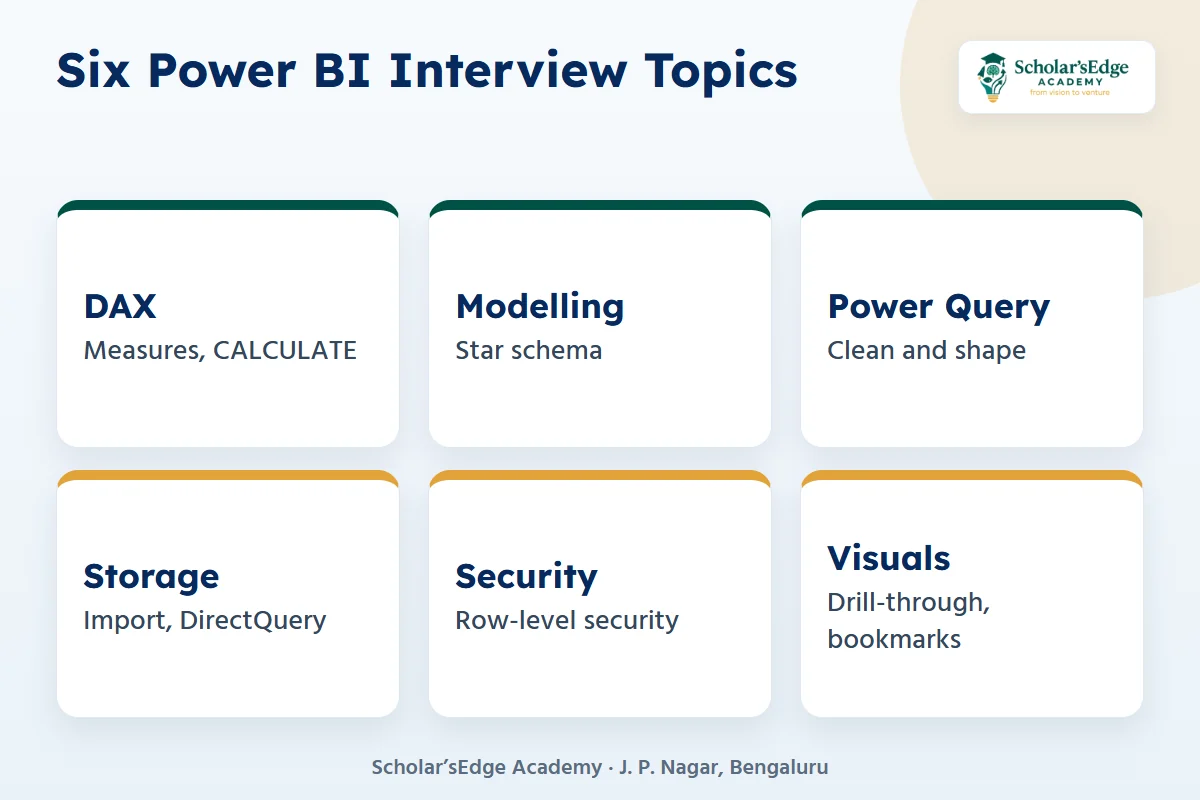
Quick answer: The Power BI interview questions freshers are asked most often cover DAX (measures vs calculated columns, CALCULATE, row and filter context), data modelling (star schema, relationships), Power Query, storage modes (Import vs DirectQuery), row-level security and visuals. Below are 25 common questions with short answers you can explain in your own words.
Not sure where to start? Try a free demo class, online or at our J. P. Nagar centre. Book on WhatsApp
Key takeaways
- Know the difference between a measure and a calculated column. It is asked in almost every Power BI interview.
- Be ready to explain row context and filter context with one simple example.
- Draw a star schema from memory: one fact table in the middle, dimension tables around it.
- Bring one dashboard you built and explain every number on it.
Power BI questions appear in most data analyst interviews in India, from fresher roles to BI analyst roles. This guide groups 25 questions by topic and answers each one in a few lines. Do not memorise the answers. Open Power BI Desktop, try each idea on a small dataset and then explain it in your own words.
Power BI basics: what interviewers ask first
1. What is Power BI?
Power BI is Microsoft’s business intelligence tool for connecting to data, cleaning it, modelling it and building interactive reports and dashboards. The main parts are Power BI Desktop (build), the Power BI service (share) and the mobile apps (view).
2. What is the difference between a report and a dashboard?
A report has one or more pages of interactive visuals built from one dataset. A dashboard is a single page in the Power BI service with tiles pinned from one or more reports.
3. What are the main steps to build a report?
Get data, clean it in Power Query, build the data model and relationships, write DAX measures, create visuals, then publish and share.
Power Query interview questions
4. What is Power Query used for?
Power Query is used to connect to sources and clean and shape data before it loads into the model: removing columns, fixing data types, splitting columns, merging and appending tables. Its language is called M.
5. What is the difference between merge and append?
Merge joins two tables side by side using a matching column, like a SQL join. Append stacks tables with the same columns one below the other, like SQL UNION ALL.
6. Should you clean data in Power Query or in DAX?
Clean and shape data in Power Query where you can, and use DAX for calculations. This keeps the model smaller and the measures simpler.
Data modelling interview questions
7. What is a star schema?
A star schema has one fact table with numbers, such as sales, linked to dimension tables that describe them, such as date, product and customer. Power BI works best with this shape.
8. What is the difference between a fact table and a dimension table?
A fact table stores events and measurable values, often many rows. A dimension table stores descriptive details used to filter and group, often fewer rows.
9. What are relationship cardinality and cross-filter direction?
Cardinality describes how rows match: one-to-many is the most common. Cross-filter direction decides which way filters flow. Single direction, from the dimension to the fact table, is the safe default.
10. Why do you need a date table?
A separate, continuous date table, marked as a date table, makes time intelligence functions such as year-to-date and same period last year work correctly.
DAX interview questions
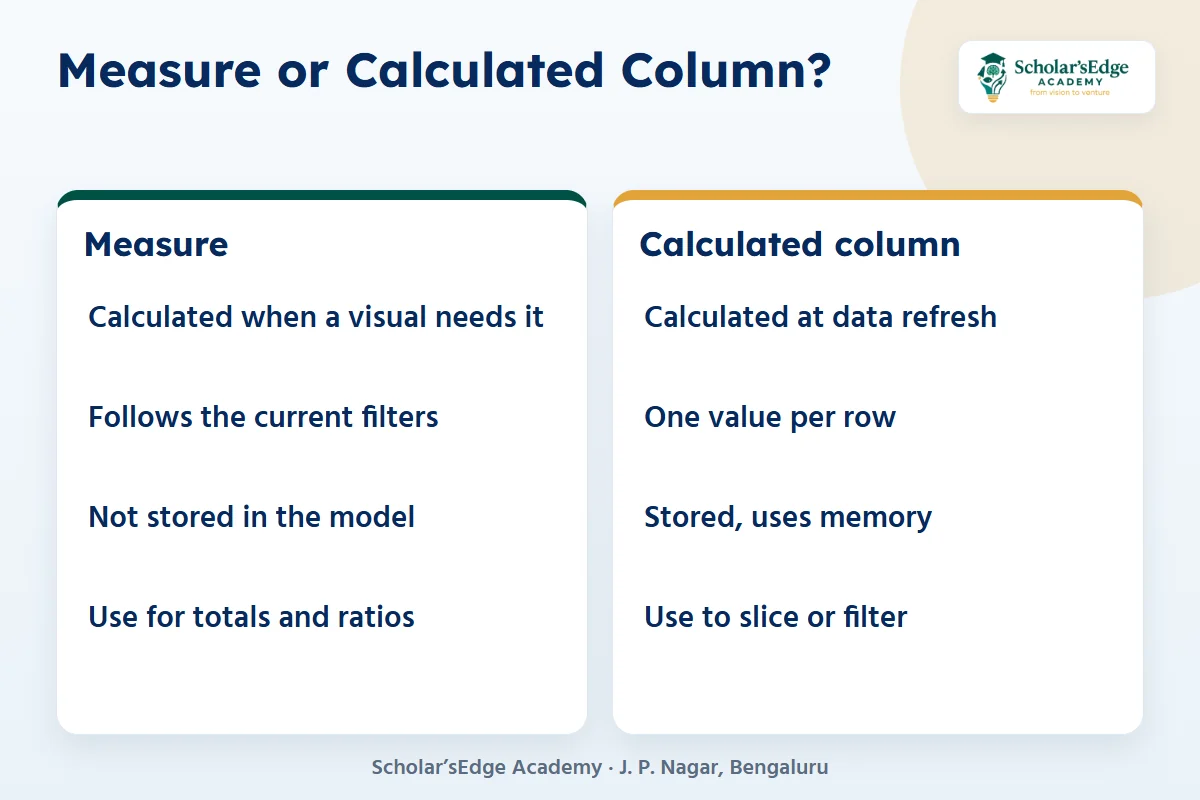
DAX questions decide most Power BI interviews. The figure shows the one comparison you must know well.
11. What is the difference between a measure and a calculated column?
A calculated column is computed for each row when data refreshes and is stored in the model. A measure is computed when a visual needs it, using the current filters, and is not stored. Use measures for totals and ratios.
12. What does CALCULATE do?
CALCULATE evaluates an expression in a changed filter context. For example, CALCULATE(SUM(Sales[Amount]), Product[Category] = “Laptops”) returns laptop sales whatever the visual shows.
13. What is row context and filter context?
Row context means “the current row”, as in a calculated column or an iterator such as SUMX. Filter context means the filters applied by slicers, visuals and CALCULATE. Measures respond to filter context.
14. What is the difference between SUM and SUMX?
SUM adds up one column. SUMX goes row by row through a table, evaluates an expression on each row, such as quantity times price, and then adds the results.
15. What is the difference between ALL, ALLEXCEPT and REMOVEFILTERS?
ALL removes filters from a table or columns, ALLEXCEPT removes all filters except the columns you name, and REMOVEFILTERS removes filters and is often clearer to read inside CALCULATE. They are used for percent-of-total measures.
16. What is the difference between RELATED and LOOKUPVALUE?
RELATED fetches a value from the “one” side of an existing relationship. LOOKUPVALUE finds a value by matching columns without needing a relationship, and it is usually slower.
17. Name two time intelligence functions.
TOTALYTD returns year-to-date values, and SAMEPERIODLASTYEAR shifts dates back one year for comparisons. Both need a proper date table.
18. What does DIVIDE do better than the / operator?
DIVIDE handles division by zero safely and returns blank or a value you choose, instead of an error.
Storage modes, sharing and security
19. What is the difference between Import and DirectQuery?
Import copies data into Power BI, which makes reports fast but needs refreshes. DirectQuery sends queries to the source each time, so data is current but visuals can be slower and some features are limited.
20. What is row-level security (RLS)?
RLS limits the rows a user can see, using roles with DAX filters, for example a sales manager who sees only her region.
21. What is a gateway?
An on-premises data gateway lets the Power BI service refresh data that sits on a local server or inside a company network.
22. What are workspaces and apps?
A workspace is where a team builds and manages content. An app packages reports and dashboards from a workspace for a wider audience to view.
Visuals and scenario questions
23. What is drill-through?
Drill-through lets a user right-click a data point and jump to a detail page filtered to that item, such as one customer.
24. What are bookmarks used for?
Bookmarks save the state of a page, such as filters and visible visuals, and are used for storytelling, toggles and custom navigation.
25. A report is slow. What would you check?
Remove unused columns, prefer a star schema, use measures instead of many calculated columns, reduce visuals per page and use Performance Analyzer to find the slow visual.
How should a fresher prepare for a Power BI interview?
- Build one project end to endClean a public dataset, model it and write 8 to 10 measures.
- Explain every numberFor each KPI, know the DAX and why you wrote it that way.
- Practise SQL tooMost analyst interviews mix Power BI with SQL. See our SQL interview questions.
- Know the certificationThe Microsoft PL-300 exam covers preparing, modelling, visualising and analysing data and managing Power BI. It lasts 100 minutes and the price depends on your country (Microsoft Learn).
Need project ideas? Try our Power BI project ideas for beginners, and compare tools in Power BI vs Tableau.
Where can you learn Power BI in Bangalore?
Our Data Analytics with AI course in J. P. Nagar teaches advanced Excel, SQL, Power BI with DAX, Tableau basics and Python, and the Power BI part is aligned to Microsoft PL-300. You build a retail sales dashboard, a credit-risk analysis and a marketing ROI project, then present a capstone to a panel. It runs 4 months with a 2-month internship, the offer fee is ₹20,999 and any graduate can join.
Ready to try a class before you decide?Book a free demo class to see the syllabus, ask about fees and batches, and meet the team. Every course includes a 2-month internship, and classes run online and offline.Book on WhatsAppCall +91 99020 58603
Frequently asked questions
What are the most asked Power BI interview questions for freshers?
Measure vs calculated column, CALCULATE, row and filter context, star schema, Import vs DirectQuery, row-level security and how to speed up a slow report.
Is DAX important for a Power BI interview?
Yes. DAX questions decide most Power BI interviews. Practise measures, CALCULATE, SUMX and time intelligence on a real dataset.
Is Power BI enough to get a data analyst job?
Rarely on its own. Most data analyst roles also ask for SQL and Excel, and many value Python.
Is the PL-300 certification required?
It is not required, but it is a recognised way to show Power BI skills. Microsoft says the certification is renewed every 12 months with a free online assessment.
How long does it take to learn Power BI for interviews?
With daily practice, the basics take a few weeks. Interview-ready DAX and modelling usually take longer, and a finished project matters most.
Sources we checked
We checked these on 15 November 2026. Figures from outside sources can change; check the source before you rely on them.
- Microsoft Learn: Power BI Data Analyst Associate (PL-300).
- Course details: Data Analytics with AI course.
Not sure yet? Talk to us
Book a free demo class or ask for 1:1 guidance on WhatsApp at +91 99020 58603, or use the form on our contact page. You can also compare all our courses and our combo courses. Scholar’sEdge Academy is at Building No. 19, 25/1, 9th Cross Road, 2nd Phase, J. P. Nagar, Bengaluru, Karnataka 560078. Read how we write and check our articles in our editorial policy.
