Quick answer: Docker vs Kubernetes is not a contest between rivals: Docker packages an application and everything it needs into a container so it runs the same everywhere. Kubernetes runs and manages many containers across many machines, handling scaling, restarts and updates. Learn Docker first, then Kubernetes. Our Cloud & DevOps Engineering course teaches both in 4 months.
Beginners often ask whether they should learn Docker or Kubernetes, as if one replaces the other. They do not compete. Docker builds and runs containers; Kubernetes decides where many containers run and keeps them healthy. This guide explains the difference in plain words, shows how they work together and gives the order to learn them.
Docker vs Kubernetes in one sentence each
Docker is the tool that creates and runs a single container. Kubernetes is the system that runs a fleet of containers across several servers and keeps that fleet working when machines fail or traffic grows.
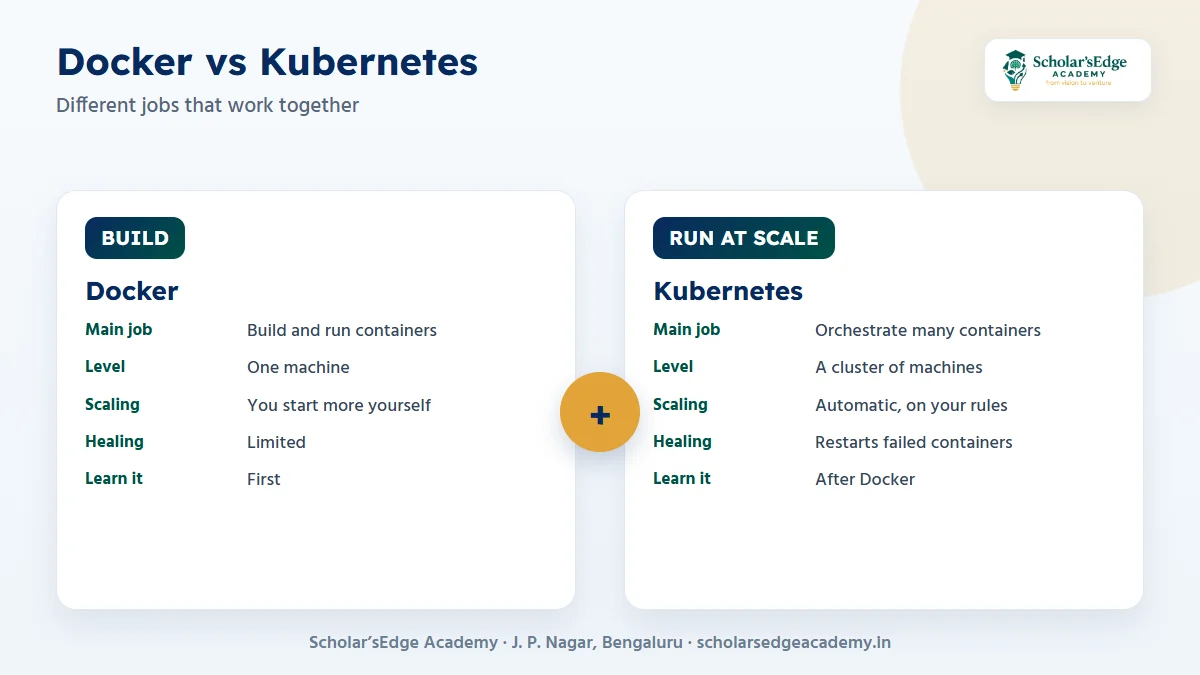
| Docker | Kubernetes | |
|---|---|---|
| Main job | Build and run containers | Orchestrate many containers across machines |
| Works at the level of | One container or a small group on one machine | A cluster of machines |
| Scaling | You start more containers yourself | Scales up and down automatically on rules you set |
| Self-healing | Limited | Restarts failed containers and replaces them |
| Updates | You replace containers manually | Rolling updates without downtime |
| Learn it | First | After Docker |
The official guides are the best reference: the Docker overview and the Kubernetes overview.
How they work together
You write a Dockerfile, build an image and test it locally with Docker. You then push the image to a registry and tell Kubernetes to run several copies of it. Kubernetes places them on machines, restarts any that crash and rolls out new versions gradually.
- Write the app and a DockerfileThe Dockerfile lists the base image, the files and the start command.
- Build and test the imageRun it locally with Docker so it behaves the same as in production.
- Push to a registryStore the image where your servers can pull it.
- Describe it for KubernetesWrite a Deployment and a Service that say how many copies to run and how to reach them.
- Let Kubernetes run itIt schedules the containers, restarts failures and updates them safely.
Key terms in plain words
| Term | Meaning |
|---|---|
| Image | A read-only template that contains your app and what it needs |
| Container | A running copy of an image |
| Registry | A store for images, such as Docker Hub |
| Pod | The smallest unit Kubernetes runs; it holds one or more containers |
| Deployment | Tells Kubernetes how many copies of a pod to keep running |
| Service | A stable address that reaches the pods behind it |
Do you need Kubernetes for a small project?
Often no. A single application on one server runs well with Docker alone, and Docker Compose can run a few related containers. Kubernetes starts to pay off when you need several copies, zero-downtime updates or automatic recovery. Learn it because teams use it, not because every project needs it.
What to learn, in what order
- Linux and the command line.
- Docker: images, containers, volumes and networks.
- Docker Compose for multi-container apps.
- Kubernetes basics: pods, deployments and services.
- Helm for packaging Kubernetes applications.
- CI/CD to build and deploy automatically.
The full path is in our DevOps roadmap from Linux to Kubernetes.
Common beginner mistakes
- Learning Kubernetes before Docker. Pods and deployments make little sense until containers do.
- Running as root and storing secrets in the image. Keep secrets out of images and use the platform’s secret features.
- Huge images. Start from a small base image and copy only what you need.
- Ignoring logs. Learn
docker logsandkubectl logsearly; they solve most problems.
Containerise one small app, run it with Docker, then deploy two copies of it on a local Kubernetes cluster and stop one copy to watch Kubernetes replace it.
How our course covers Docker and Kubernetes
The Cloud & DevOps Engineering course runs for 4 months at our J. P. Nagar centre: 3 hours a day, Monday to Friday, plus a Saturday lab, with a weekend batch also available.
- You learn: Linux, networking and shell scripting, AWS core services, Docker, Kubernetes and Helm, CI/CD with Jenkins and GitHub Actions, Terraform and Ansible, and monitoring with Prometheus and Grafana.
- Projects: a three-tier app on AWS with Terraform, a CI/CD pipeline to Kubernetes, a monitoring stack and a cloud migration capstone.
- Who can join: Engineering, BCA, BSc and MCA graduates, and system administrators and IT support staff.
- Internship and fee: a 2-month internship is included, and the offer fee is ₹20,999 (regular ₹29,999).
Ready to try a class before you decide?Book a free demo class to see the syllabus, ask about fees and batches, and meet the team. Every course includes a 2-month internship, and classes run online and offline.Book on WhatsApp
Frequently asked questions
Is Kubernetes a replacement for Docker?
No. Docker builds and runs containers. Kubernetes manages many containers across machines, and it runs containers that were built with tools like Docker.
Should I learn Docker or Kubernetes first?
Docker first. You need to understand containers before you can understand how Kubernetes manages them.
Do I need to know coding for DevOps?
You need shell scripting and comfort reading configuration and code. Our course starts with Linux and scripting basics.
Can a fresher get started with Kubernetes?
Yes, once you are comfortable with Linux and Docker. Start with a local cluster and a small application.
Who can join the Cloud & DevOps Engineering course?
Engineering, BCA, BSc and MCA graduates, and system administrators and IT support staff.
Not sure yet? Talk to us
Book a free demo class or ask for 1:1 guidance on WhatsApp at +91 99020 58603, or use the form on our contact page. You can also compare all our courses. Scholar’sEdge Academy is at Building No. 19, 25/1, 9th Cross Road, 2nd Phase, J. P. Nagar, Bengaluru, Karnataka 560078. Read how we write and check our articles in our editorial policy.
